Zapier
Use a form, calendar, spreadsheet, CRM, donation platform, or webhook trigger, then add VoxiSMS as the sending action.
Build the workflow in Zapier
Turn volunteer registrations, shift reminders, event changes, donation receipts, program updates, and replies into useful text messages from your organization's own mobile number.
Your nonprofit system decides when a message is due. VoxiSMS delivers it through the connected Android phone and SIM.

Quick answer
VoxiSMS is an Android SMS gateway for nonprofits that want volunteer, event, donation, and program messages to come from a real mobile number. Zapier or Make passes the recipient and message to the connected Android phone; the phone sends through its own SIM and active carrier plan.
Name the organization, give one useful next step, and replace every placeholder with a trusted value from the trigger record.
| Nonprofit moment | Workflow trigger | Example text |
|---|---|---|
| Volunteer registration | A volunteer form is submitted | “Hi [name], thanks for signing up with [organization]. Your next step is [step]. Reply if you have a question.” |
| Shift reminder | A scheduled shift is approaching | “[Organization]: Your volunteer shift is [date] at [time], [location]. Reply YES to confirm or tell us if you need to change it.” |
| Event change | An event time or location changes | “[Organization]: Today's [event] now starts at [time] at [location]. Reply if you need directions or cannot attend.” |
| Donation receipt | A completed donation is recorded | “Thank you for your [date] donation to [organization]. Your receipt is here: [link]. Reply if you need help with it.” |
| Program update | A participant record changes | “[Organization]: Your [program] update is [status]. Next step: [action]. Reply if anything has changed.” |
| Volunteer follow-up | A completed activity is logged | “Thank you for helping with [activity]. Would you like the next available dates? Reply YES, NO, or ask a question.” |
Keep volunteer, event, donor, and program records in their source systems. VoxiSMS handles the final SMS action.
Use a form, calendar, spreadsheet, CRM, donation platform, or webhook trigger, then add VoxiSMS as the sending action.
Build the workflow in ZapierCreate a visual scenario that receives the nonprofit event, checks the record, formats the message, and sends it through VoxiSMS.
Map the scenario in MakeFor counseling sessions, volunteer interviews, or other booked appointments, use Voxiplan for confirmations, reminders, changes, and reply routing.
See the Voxiplan connectionZapier workflows combine a trigger with one or more actions and can map fields from the source record, as the official Zap workflow guide explains. If a nonprofit tool exposes a webhook, Make's webhook documentation describes how that event can start a scenario.
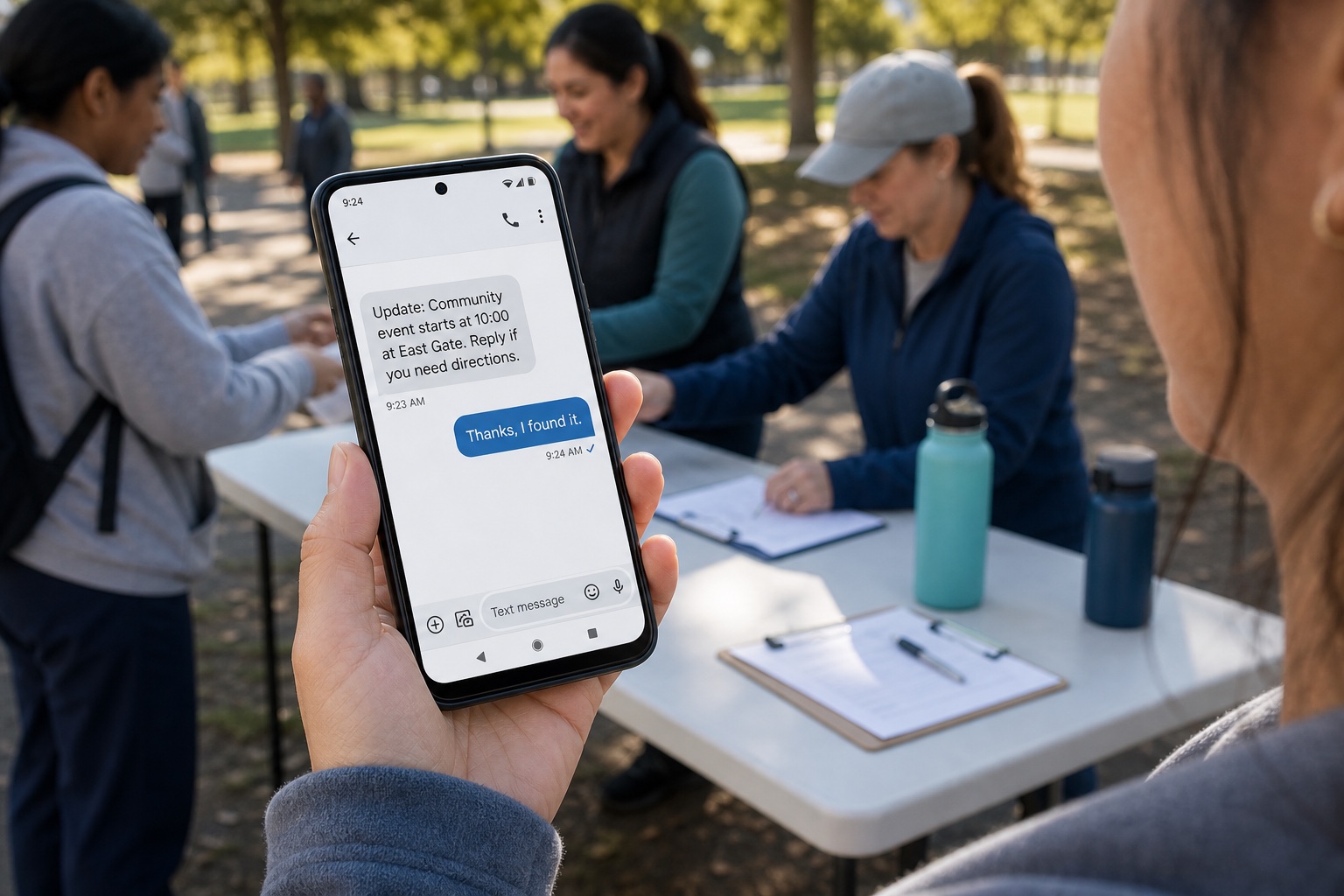
VoxiSMS turns the organization's Android phone into the sending step for the automation. The device sends through its own SIM and active carrier plan, and VoxiSMS adds no per-message fee.
The source system supplies the event, the automation checks and formats it, and the connected Android phone handles delivery and replies.
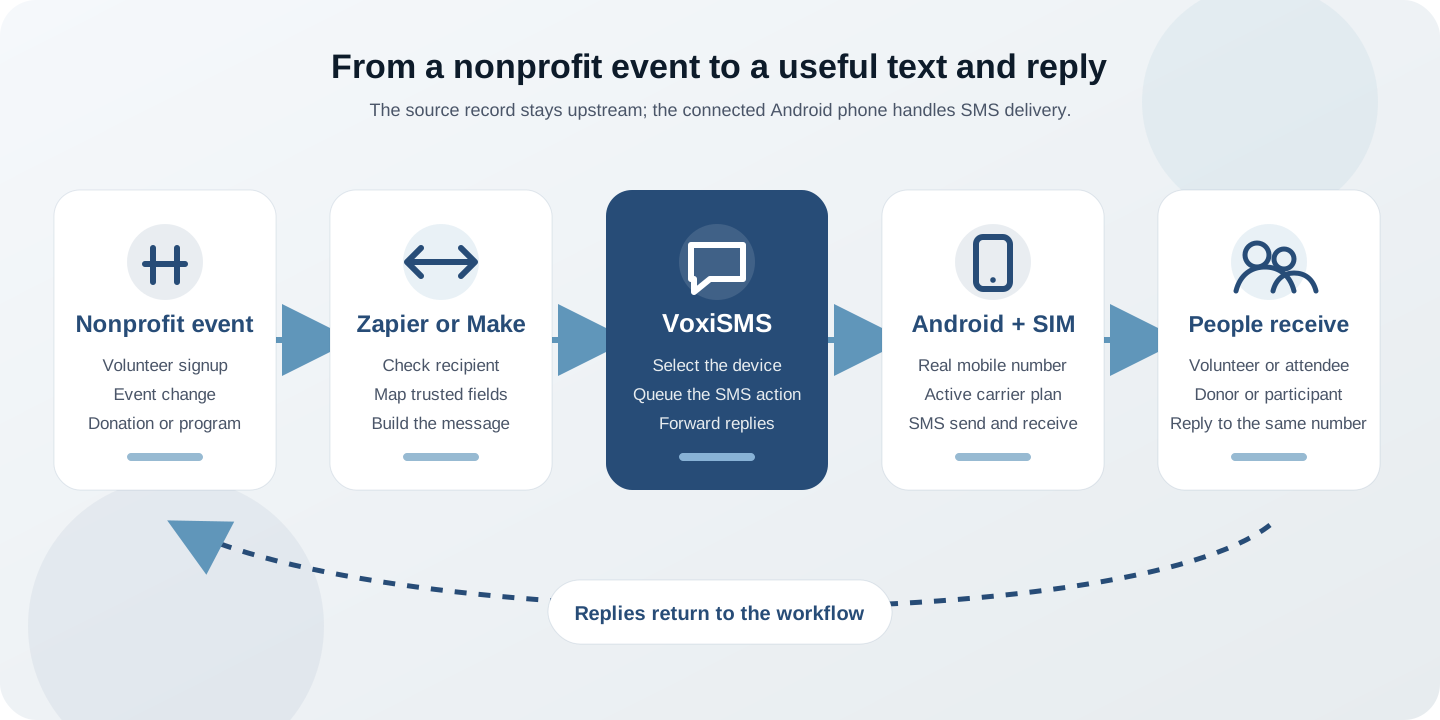
Swipe horizontally to inspect each workflow step.
Begin with one message tied to a reliable record. A focused workflow is easier to test when events change and people reply.
Review VoxiSMS integrationsStart with a reliable record such as a volunteer signup, scheduled shift, event change, completed donation, program update, or finished activity.
Confirm that the mobile number belongs to the intended person and that the message matches the permission and relationship recorded by the organization.
Pass the name, organization, date, time, location, status, link, and one clear next step. Keep private case notes out of the SMS.
Choose the connected Android phone, map the recipient and message body, then test the action with an internal mobile number.
Reply from the recipient phone, change a test event, and confirm that each response reaches the coordinator or the correct next step.
Tax-exempt status does not make every automated text permission-free. For U.S. messaging covered by FCC rules, use the consent basis that fits the message and honor reasonable opt-out requests. The current 47 CFR 64.1200 delivery restrictions set out the applicable consent and revocation rules.
Clear answers about workflow triggers, replies, mobile numbers, message costs, and outreach messages.
Nonprofit texting uses SMS for practical organization workflows such as volunteer confirmations, shift reminders, event updates, donation receipts, program messages, and replies. A useful workflow starts from a real event in the system the nonprofit already uses.
Use a CRM or nonprofit system that already connects to Zapier or Make, or start the workflow from a supported webhook. VoxiSMS is the SMS action; it does not claim a native connector to every nonprofit platform.
Yes. Messages come from the real mobile number in the connected Android phone. Replies arrive on that number and can be forwarded into Zapier, Make, or a supported Voxiplan workflow.
No. VoxiSMS uses the Android phone, SIM, real mobile number, and active carrier plan the organization already has.
VoxiSMS adds no per-message fee. The connected Android phone sends through the mobile plan already active on its SIM.
Keep those messages limited to recipients who should receive them, make the sender and purpose clear, and stop when someone opts out. VoxiSMS is designed for genuine, human-relevant messaging at a pace the organization's carrier plan supports, not industrial-scale blasting.
Install VoxiSMS on the organization's Android phone, connect the system that owns the event, and test one message and reply end to end.