Zapier
Use a CRM, form, calendar, spreadsheet, or webhook trigger, then add VoxiSMS as the sending action for the chosen Android device.
Build the workflow in Zapier
Turn property enquiries, viewing appointments, status changes, and follow-ups into useful text messages from your team's own mobile number.
Your real estate system decides when a message is due. VoxiSMS delivers it through the connected Android phone and SIM.
Quick answer
VoxiSMS is an Android SMS gateway for real estate teams that want property enquiries, viewing confirmations, listing updates, and follow-ups to come from a real mobile number. Zapier or Make passes the contact and message to the connected Android phone; the phone sends through its own SIM and active carrier plan.
Name the property, make the next step obvious, and replace every placeholder with a trusted value from the trigger record.
| Property moment | Workflow trigger | Example text |
|---|---|---|
| New property enquiry | A contact asks about a property | “Hi [name], this is [agent] from [business]. Thanks for asking about [property]. Would you like viewing times or the key details first?” |
| Viewing confirmation | A viewing is booked | “[Business]: Your viewing for [property] is confirmed for [date] at [time]. Reply if your plans change.” |
| Viewing change | The appointment time changes | “[Business]: Your viewing at [property] needs to move to [new time]. Reply 1 to confirm or tell us what works.” |
| Requested listing update | A watched property's status changes | “[Business]: An update you requested for [property]: [status]. Reply if you want the latest details or another viewing time.” |
| Next-step reminder | A transaction task becomes due | “Hi [name], the next step for [property] is [action]. Please complete it by [date] or reply with a question.” |
| Post-viewing follow-up | A viewing is marked complete | “Thanks for viewing [property]. Would you like the details again, a second visit, or help finding alternatives?” |
Keep the lead, property, appointment, and transaction record in its source system. VoxiSMS handles the final SMS action.
Use a CRM, form, calendar, spreadsheet, or webhook trigger, then add VoxiSMS as the sending action for the chosen Android device.
Build the workflow in ZapierCreate a visual scenario that receives the property event, checks the record, formats the message, and passes it to VoxiSMS.
Map the scenario in MakeIf viewings are scheduled in Voxiplan, use its appointment confirmations, reminders, changes, and reply routing with VoxiSMS as the delivery layer.
See the Voxiplan connectionIf the source system exposes a webhook but no ready-made app connection, the official Zapier Catch Hook guide and Make webhook documentation explain how an external app can start the workflow.
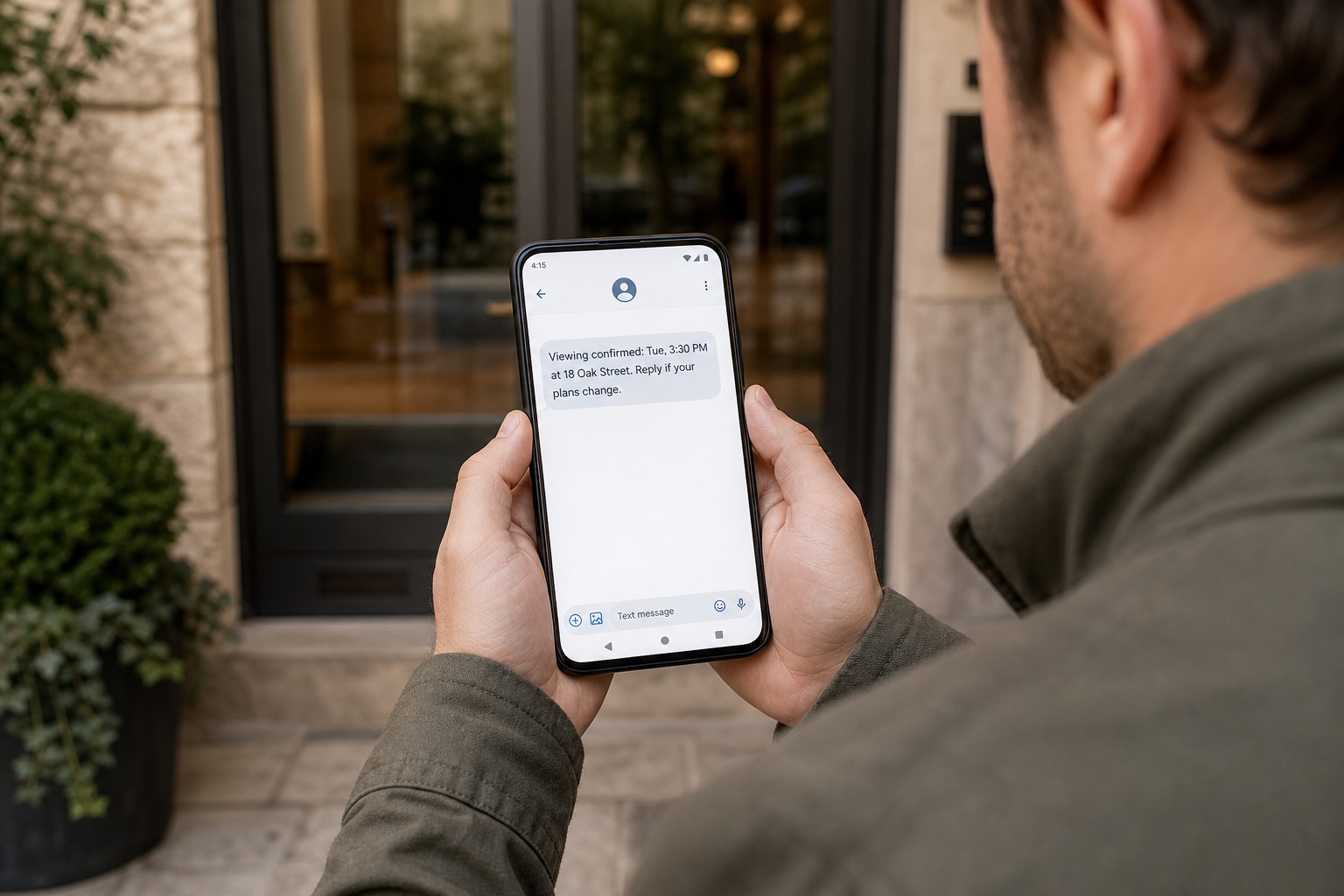
VoxiSMS turns the team's Android phone into the sending step for the automation. The device sends through its own SIM and active carrier plan, and VoxiSMS adds no per-message fee.
The real estate system supplies the event, the automation checks and formats it, and the connected Android phone handles delivery and replies.
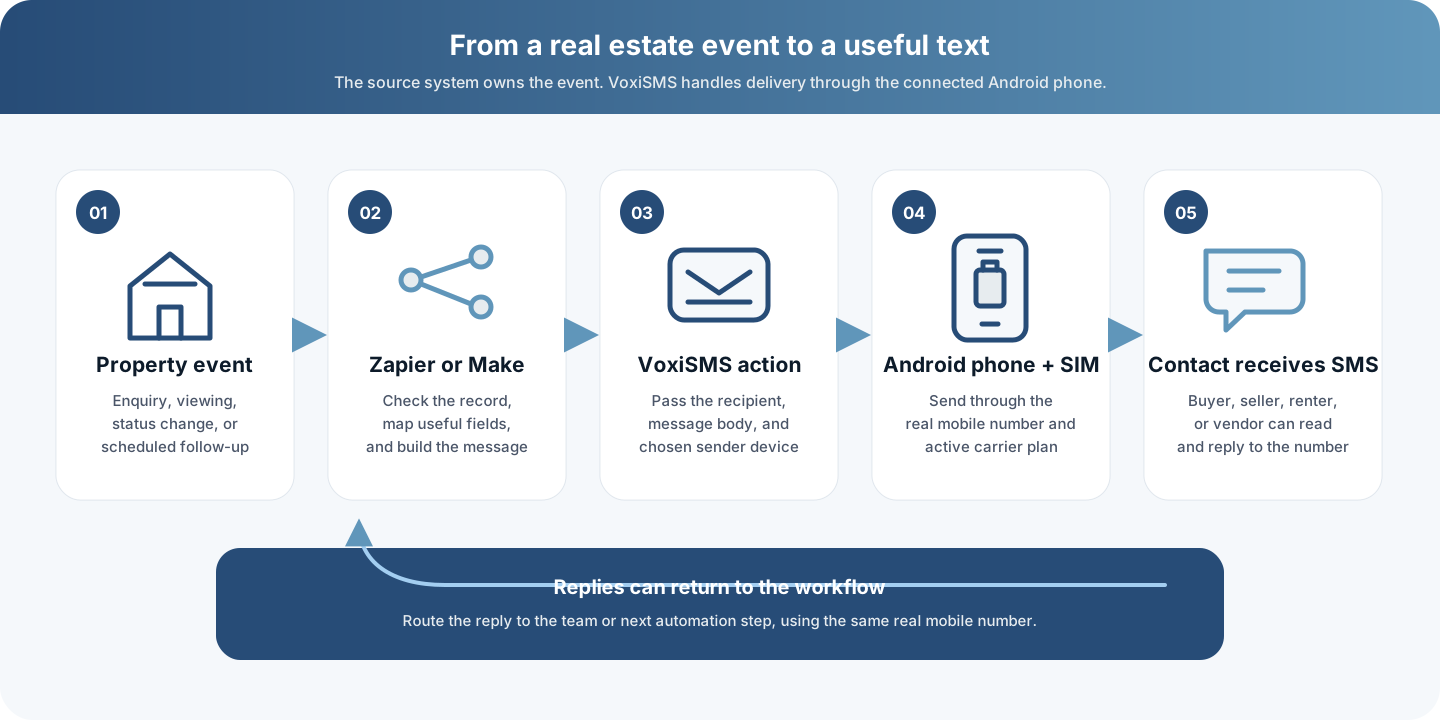
Swipe horizontally to inspect each workflow step.
Begin with one message tied to a reliable record. A focused workflow is easier to test when appointments move and contacts reply.
Review VoxiSMS integrationsStart with a reliable event already recorded by the team, such as a new enquiry, booked viewing, status change, completed visit, or due next step.
Confirm that the mobile number belongs to the intended contact and that the person should receive this type of message before the workflow continues.
Pass the contact name, property reference, date, time, status, agent name, and one clear next step. Leave internal notes out of the text.
Choose the connected Android phone, map the recipient and message body, then test the action with an internal mobile number.
Reply from the recipient phone, reschedule a test viewing, and confirm that each response reaches the team or next automation step.
For U.S. automated promotional texts covered by FCC rules, get prior express written consent and treat reasonable opt-out replies as revocations. The current 47 CFR 64.1200 delivery restrictions set out those requirements. Keep requested property updates and promotional outreach as separate workflow purposes.
Clear answers about CRM triggers, property replies, mobile numbers, message costs, and promotional texts.
SMS for real estate means using text messages for practical property workflows such as enquiry replies, viewing confirmations, schedule changes, requested listing updates, next-step reminders, and follow-ups. The strongest workflows start from a real event in the team's existing system.
Use a CRM or property system that already connects to Zapier or Make, or use a supported webhook from that system. VoxiSMS is the SMS action in the workflow; it does not claim a native connector to every real estate platform.
Yes. The text comes from the real mobile number in the connected Android phone. Replies arrive on that number and can be forwarded into Zapier, Make, or a supported Voxiplan workflow.
No. VoxiSMS uses the Android phone, SIM, real mobile number, and active carrier plan the team already has.
VoxiSMS adds no per-message fee. The connected Android phone sends through the mobile plan already active on its SIM.
Only when the workflow has the permission required for that message and market. Keep requested property updates separate from promotional broadcasts, and stop messages when a contact revokes consent.
Install VoxiSMS on the team's Android phone, connect the system that owns the property event, and test one message and reply end to end.