
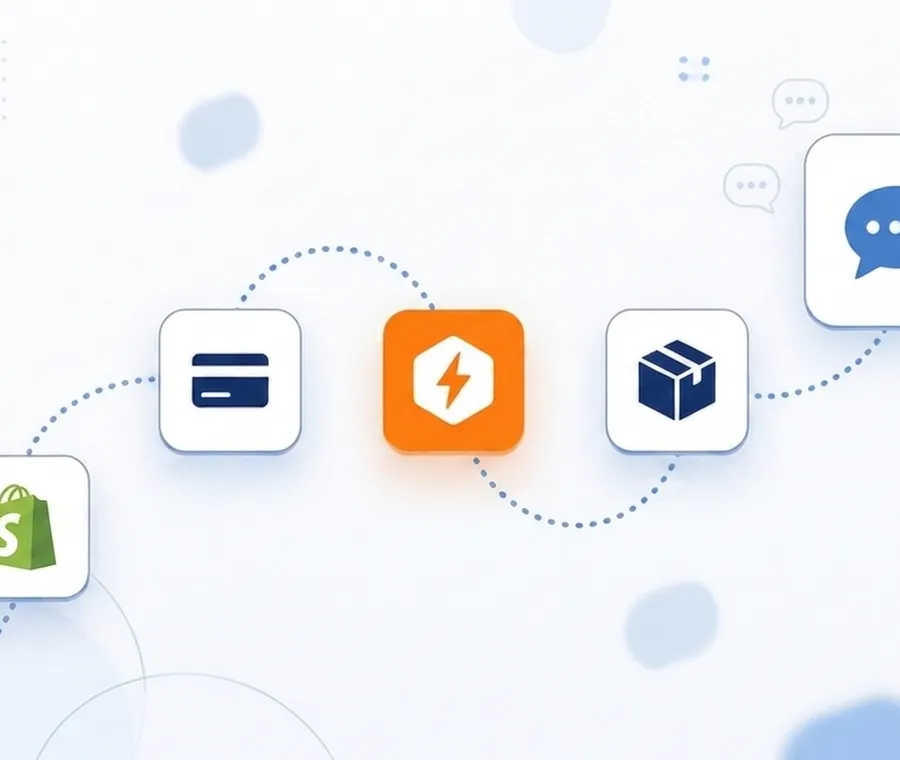

You can send SMS from Shopify orders automatically without Twilio by connecting Shopify to VoxiSMS through Zapier. A new paid order triggers the Zap, and VoxiSMS sends the text from your own Android phone and mobile number. No SMS API, no rented number, and no per message fees beyond your carrier plan.
Shopify SMS automation in a nutshell
- Connect Shopify to VoxiSMS through Zapier and every new order can fire an SMS from your own mobile number in seconds.
- Setup takes under 5 minutes once the VoxiSMS app is installed on an Android phone linked to your Voxiplan account.
- You skip Twilio entirely: no A2P 10DLC registration, no per message API fees, and no waiting weeks for campaign approval.
- Customers see the real number your store already uses, which matters because 68% of SMS subscribers opt in specifically for shipment tracking and order updates, according to Omnisend’s 2026 SMS marketing data.
- VoxiSMS fits transactional order volume up to about 1,000 messages a day. For bulk marketing blasts, pair it with a registered A2P provider.
Why send Shopify order texts without Twilio?
Twilio is built for developers. To send a single order confirmation from it in the US, you rent a number, register an A2P 10DLC brand and campaign, write or configure API calls, and then pay for every message segment.
Twilio’s published US rate is $0.0083 per outbound SMS segment, before carrier surcharges. Registration adds more: a one time brand fee of $4.50 to $46, a $15 campaign vetting fee, and $1.50 to $10 per month per campaign, per Twilio’s A2P 10DLC fee schedule. Approval can take weeks.
For a store owner who just wants a text to go out when an order lands, that is a lot of overhead. The VoxiSMS route removes all of it. The Android phone you already own becomes the sender, your SIM and carrier plan carry the message, and Zapier handles the trigger logic.
Based on internal VoxiSMS cost comparisons, a store sending 1,000 SMS a month would pay around $79 in Twilio costs, $395 at 5,000, and $790 at 10,000. VoxiSMS Business costs $9/month with one Android device and 5,000 unique outbound recipients, plus your carrier plan. Additional devices cost $5/month each and extra blocks of 5,000 recipients cost $5 for the current billing period. All VoxiSMS charges use prepaid Voxi credits; normal business use remains subject to fair use.
There is also a trust effect. Order texts from your own number show up in the same thread as every past conversation with your store. Texts from a rented five digit code or unfamiliar long code often read as spam.
SMS already gets open rates of 90% to 98%, far ahead of email’s roughly 28%, according to Omnisend’s SMS benchmarks. A recognized sender protects that advantage.
What do you need before you start?
Four things, none of them technical:
- An Android phone running Android 6.0 or higher, with a SIM or eSIM and an active texting plan.
- A stable Wi-Fi or mobile data connection on that phone.
- A free Voxiplan account to pair the device with the VoxiSMS workspace.
- A Shopify store and a Zapier account. Multi step Zaps with filters need a paid Zapier plan.
You do not need a Twilio account, a developer, an SMS API key from a cloud provider, or an A2P 10DLC registration. The phone is the gateway.
How do you set up automatic Shopify order SMS? A step by step build
The build is one Zap: Shopify trigger, optional formatter, VoxiSMS action. Here is the full walkthrough.
Step 1: Install VoxiSMS and link your phone
Install VoxiSMS by Voxiness from the Google Play Store on the Android phone that will send the texts. Grant SMS and notification permissions. In your Voxiplan dashboard, open the VoxiSMS section, copy the setup token, and paste it into the app.
The dashboard confirms the device is online within seconds. Samsung, Google, and LG phones handle background sending most reliably. Aggressive battery managers on Huawei, Xiaomi, Oppo, ZTE, and Tecno devices can kill the app mid send, so exclude VoxiSMS from battery saver.
Step 2: Create a new Zap with Shopify as the trigger
Log in to Zapier and click Create Zap. Choose Shopify as the trigger app and connect your store. For order confirmations, pick the New Paid Order trigger so texts only go to customers who completed checkout, not to draft or pending orders.
Step 3: Test the trigger
Run the trigger test. Zapier pulls a recent order so you can see the exact fields Shopify exposes: customer first name, phone, order number, total price, and line items. If the test order has no phone number, place a test order in your store with one filled in.
Step 4: Add a filter so only valid orders send
Insert a Filter by Zapier step that continues only when the customer phone field exists. This prevents failed sends for orders placed without a phone number. If you sell internationally, add a Formatter step that normalizes phone numbers to E.164 format, for example +14155550123.
Step 5: Add VoxiSMS as the action
Search for VoxiSMS in the action step and choose Send SMS. Connect your Voxiplan account, then pick the sender device you linked in Step 1.
Step 6: Write the message and map the fields
Map the recipient field to the Shopify customer phone. Then write the message body with dynamic fields:
Hi {{first_name}}, thanks for your order #{{order_number}}! We're getting it ready now. Total: {{total_price}}. Reply here if you have any questions.
Keep it under 160 characters so it fits one SMS segment. Paste your draft into the free SMS character counter to check segment count before you go live.
Step 7: Test the action
Click Test action. A real SMS leaves your Android phone to the test order’s number. Confirm it appears in the phone’s sent messages and arrives on the receiving end with your number as the sender.
Step 8: Turn the Zap on
Switch the Zap on. From now on, every paid Shopify order sends a confirmation text from your own number, automatically, while the phone sits on a charger in the back office.
Which Shopify events should trigger an SMS?
Order confirmation is the start, not the end. The same pattern works for every customer moment Shopify exposes to Zapier:
- New Paid Order: the confirmation build above. The highest value, lowest risk automation to ship first.
- Order Fulfilled / Updated Fulfillment: send the tracking link the moment the label is created. Shipment updates are the single biggest reason customers opt in to store SMS, per Omnisend’s consumer data.
- Abandoned Checkout: a personal nudge from the store’s real number. Use the dedicated abandoned cart SMS examples and setup guide to separate cart and checkout events, map the recovery link, and stop later reminders after purchase.
- New Customer: a short welcome text with your store’s direct line.
- Refund Created: confirm the refund is on its way before the customer has to ask.
Each of these is the same three step Zap with a different trigger. For reply handling, VoxiSMS also exposes inbound messages as a Zapier trigger, so answers route into Slack, your helpdesk, or Shopify customer notes.
The full Zapier walkthrough lives in our guide on sending SMS from Zapier using your own phone number.
How does this compare to Twilio and Shopify SMS apps?
| Factor | VoxiSMS + Zapier | Twilio + custom code | Shopify SMS marketing apps |
|---|---|---|---|
| Sender number | Your real mobile number | Rented 10DLC number | Rented or shared number |
| Per message cost | $0 beyond your carrier plan | $0.0083 per segment plus carrier fees | Bundled into monthly plan, typically per message credits |
| A2P 10DLC registration | Not required for your own personal or business line | Required for US traffic, $4.50 to $46 brand fee plus campaign fees | Handled by the app, cost passed into pricing |
| Developer needed | No | Yes, or a paid integration | No |
| Setup time | Under 5 minutes | Days to weeks including registration | Under an hour |
| Two way replies | Yes, to your real phone and into Zapier | Yes, via API webhooks | Usually into the app’s inbox |
| Best fit | Transactional order, shipping, and service texts | High volume programmatic messaging | Bulk marketing campaigns and promotions |
The short version: marketing blast tools and Twilio solve high volume problems. VoxiSMS solves the trust and cost problem for the operational texts that every order generates.
To see how it stacks against seven other tools criterion by criterion, read our comparison of the best Zapier SMS apps.
When should you not use this setup?
Be honest about the limits:
- Sending more than roughly 1,000 messages a day from one SIM risks carrier spam flags. Split volume across devices or move bulk traffic to a registered A2P provider.
- US bulk marketing campaigns belong on a registered 10DLC route. Your own number is for the operational texts customers expect, not mass promotions.
- If no Android device can stay powered and online during business hours, delivery becomes unreliable.
Many stores run both: marketing campaigns through a Shopify marketing app, and order, shipping, and support texts through VoxiSMS. If your team builds in Make instead of Zapier, the Make integration supports the same Shopify flows.
For the planning layer behind those order and service texts, see our practical guide to SMS campaign examples, costs, and setup.
Frequently asked questions
Can Shopify send SMS order notifications natively?
Shopify’s built-in notifications focus on email; SMS coverage is limited and goes out from Shopify’s sender, not your number. The Zapier plus VoxiSMS route gives you full control of message content, timing, and sender identity.
Do I need a paid Zapier plan?
A single trigger and action Zap runs on lower tiers, but the recommended build uses a filter step, which requires a paid plan with multi step Zaps.
Will customers see my real phone number?
Yes. The SMS comes from the SIM in your Android phone. Replies land on the same phone and can route into Zapier as a trigger.
What does VoxiSMS cost per message?
Nothing per message. You pay your Voxiplan subscription, and your carrier plan covers the SMS, which on most US, UK, and EU plans means unlimited texts at no extra cost.
Is this compliant for order updates in the US?
Transactional order and shipping messages to customers who provided their number at checkout are the lowest risk SMS category. A2P 10DLC registration applies to application to person traffic on commercial 10DLC numbers; texts from your own line on a standard plan sit outside that program.
For marketing sends or high volume, confirm requirements with a compliance professional.
What happens if the phone goes offline?
Messages queue in the VoxiSMS app and send when the device reconnects. For order critical flows, link a second device to the same Voxiplan account as a backup sender.
Ready to text your customers from your own number?
Install VoxiSMS, link your Android phone, and ship the order confirmation Zap in under 5 minutes. Open VoxiSMS on Zapier and join the 2,400+ businesses already sending operational SMS from a number their customers recognize.
Want the wider picture first? See every connection option on the VoxiSMS integrations page, or compare your options in the best Zapier SMS apps roundup.
